Creating Cleaning Checklists
Create cleaning checklists to ensure quality control
阅读约 5 分钟初级
Overview
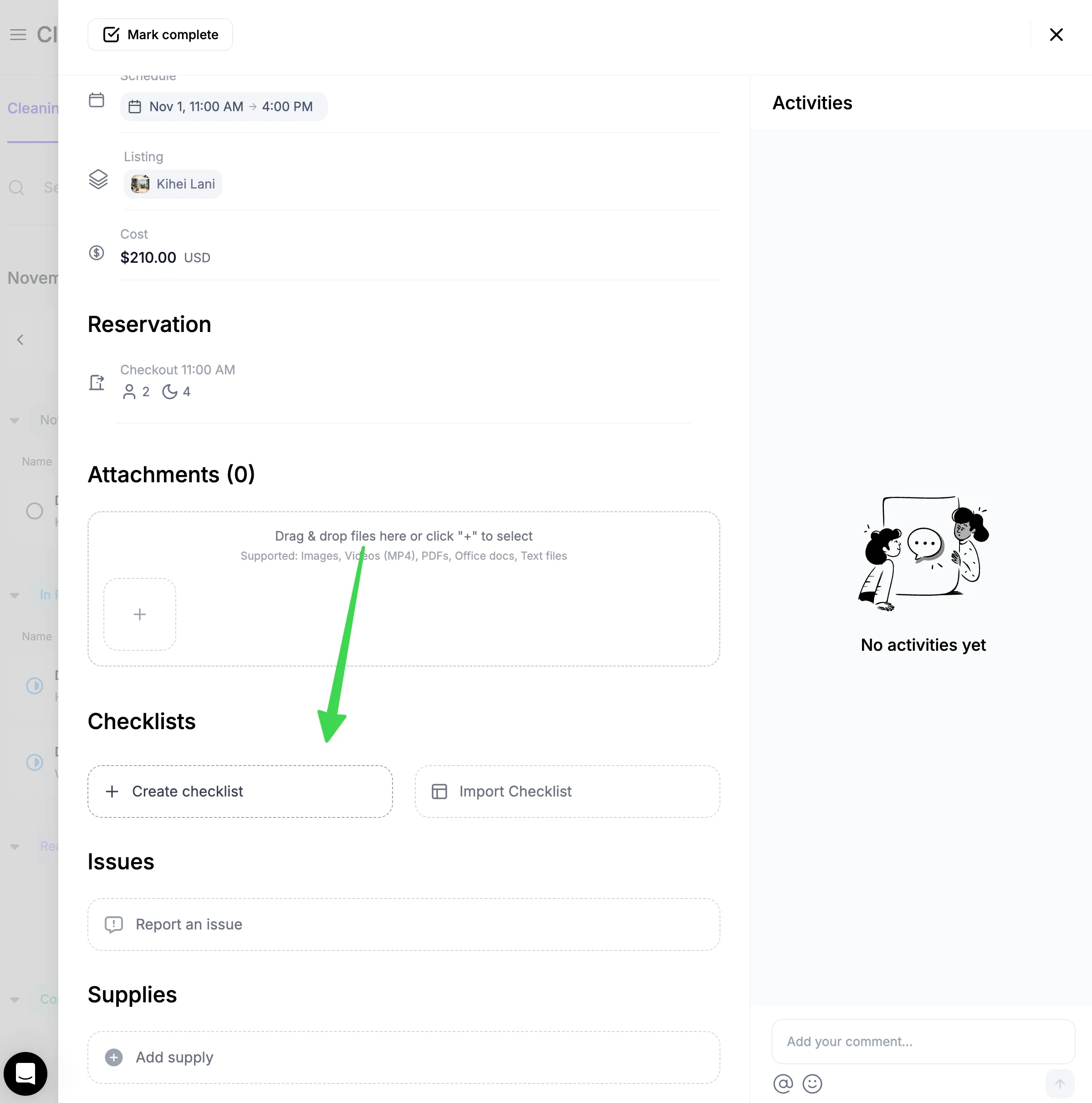
You can create checklists on both the website and the mobile app. To create a checklist, go inside a cleaning and click "Create checklist". Once created, the checklist will show up for every clean for that property.
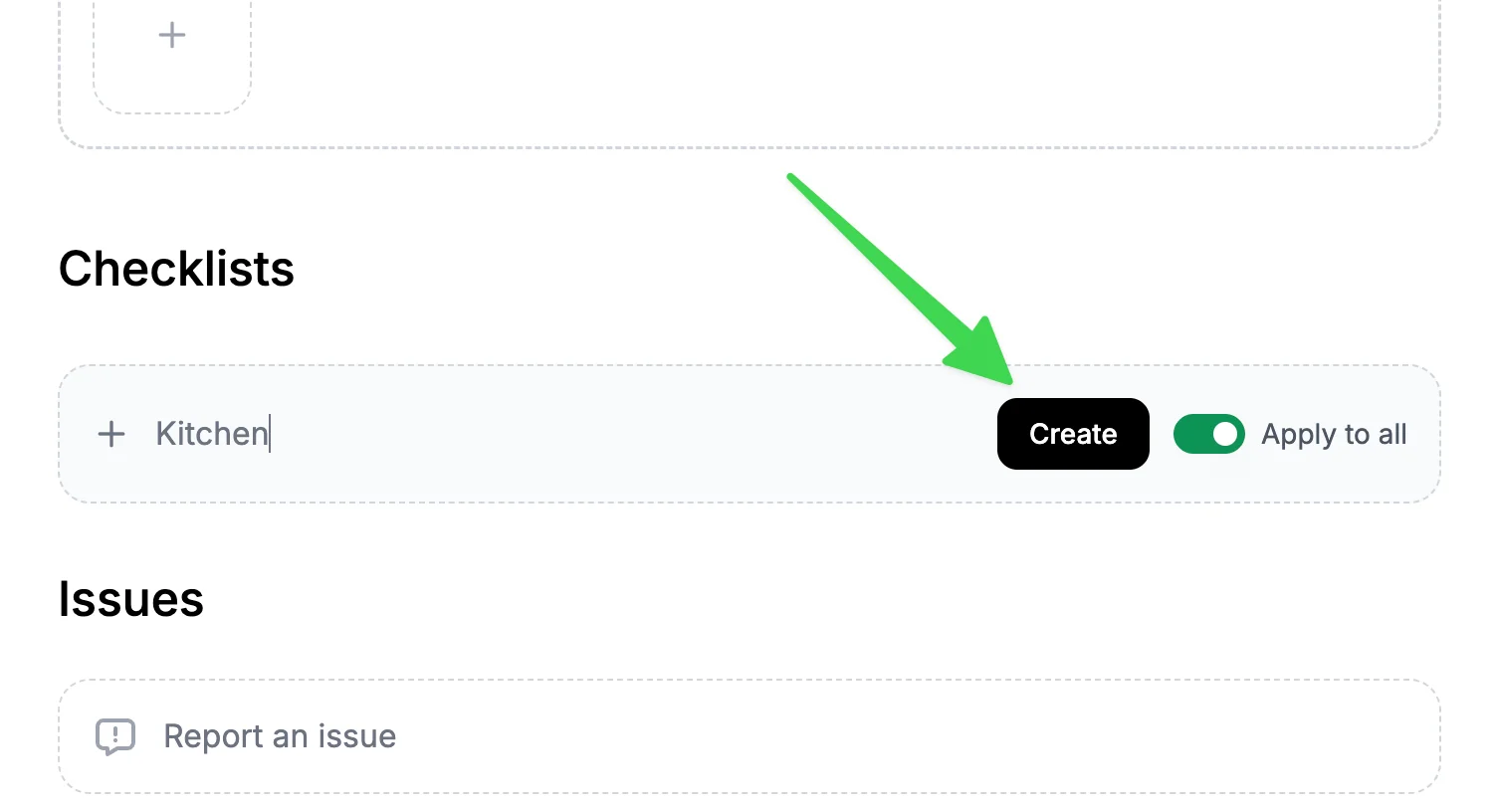
Then enter a checklist name and hit "Create"
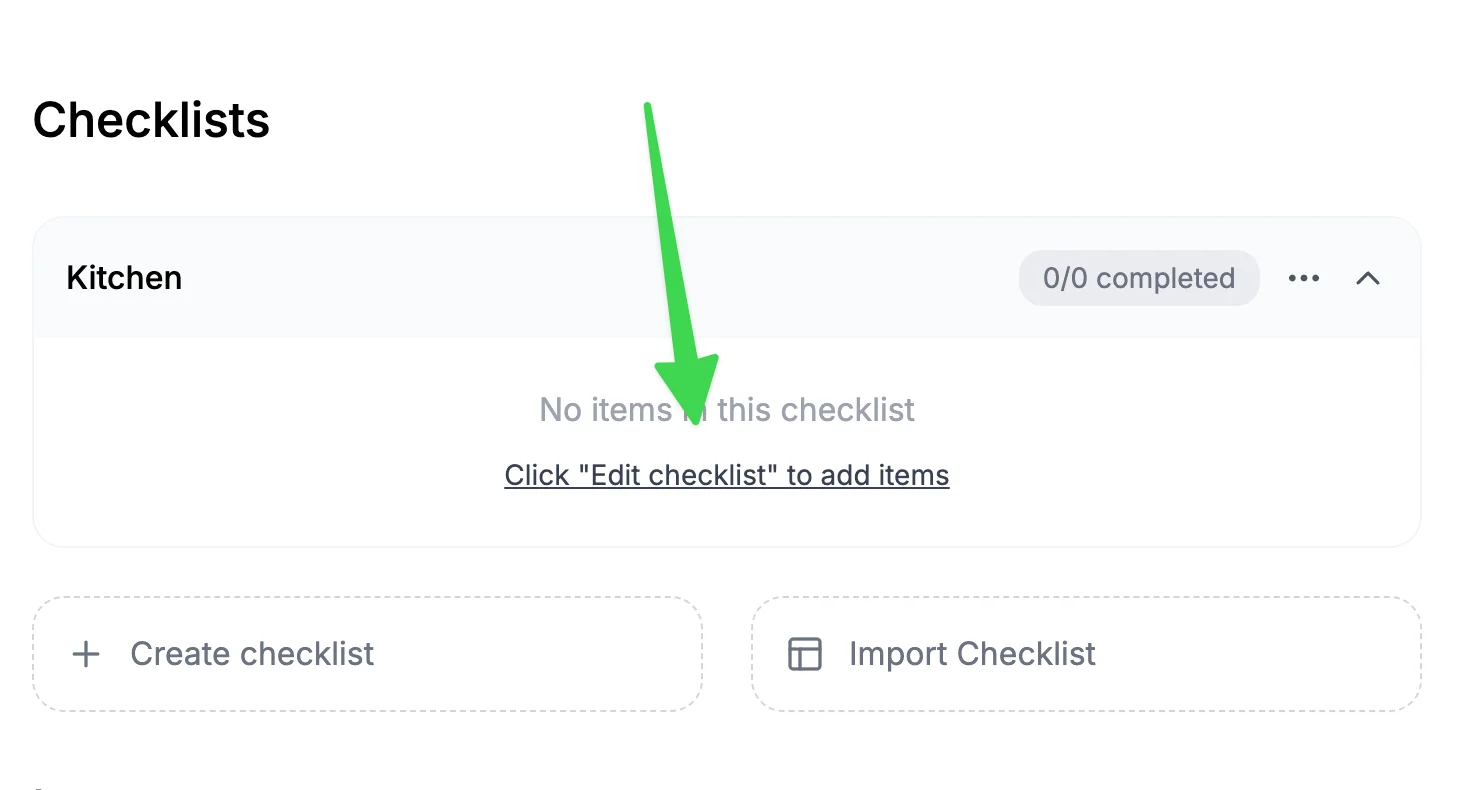
Once a checklist is created, click "Edit".
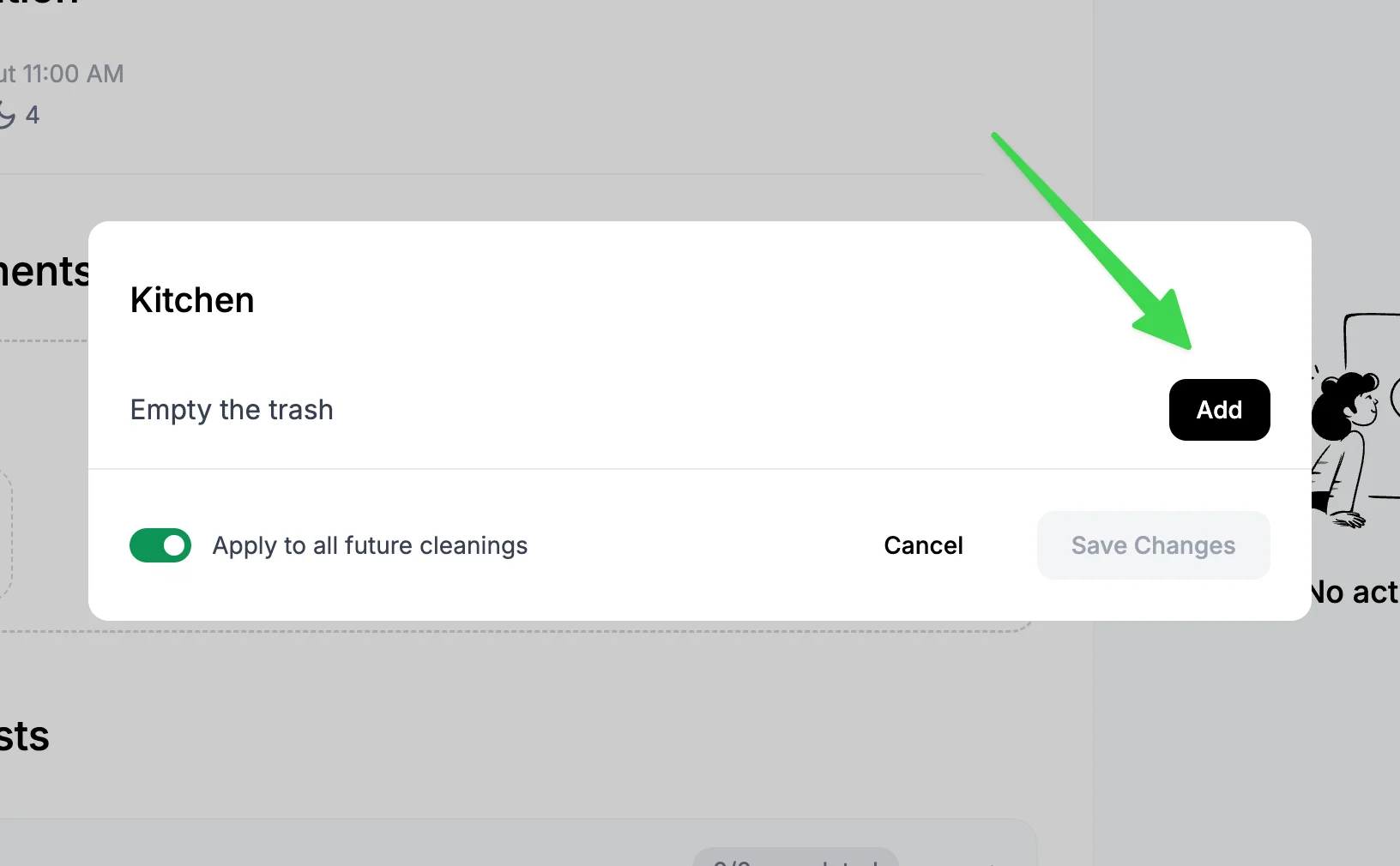
Enter a checklist item and hit "Add".
Reusing checklists across properties
Once a checklist is created, you can re-use it for your other properties. Go into a cleaning for another property and then hit "Import checklist"
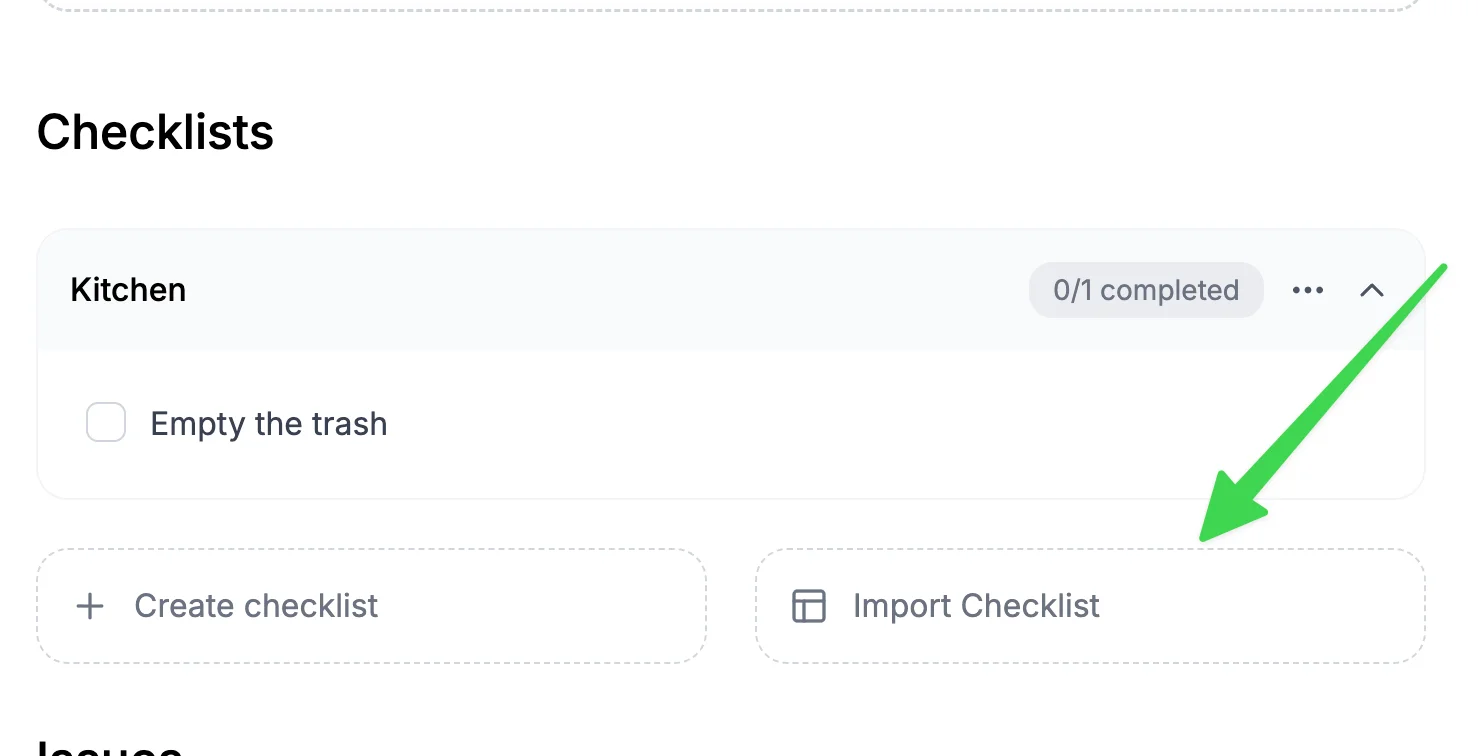
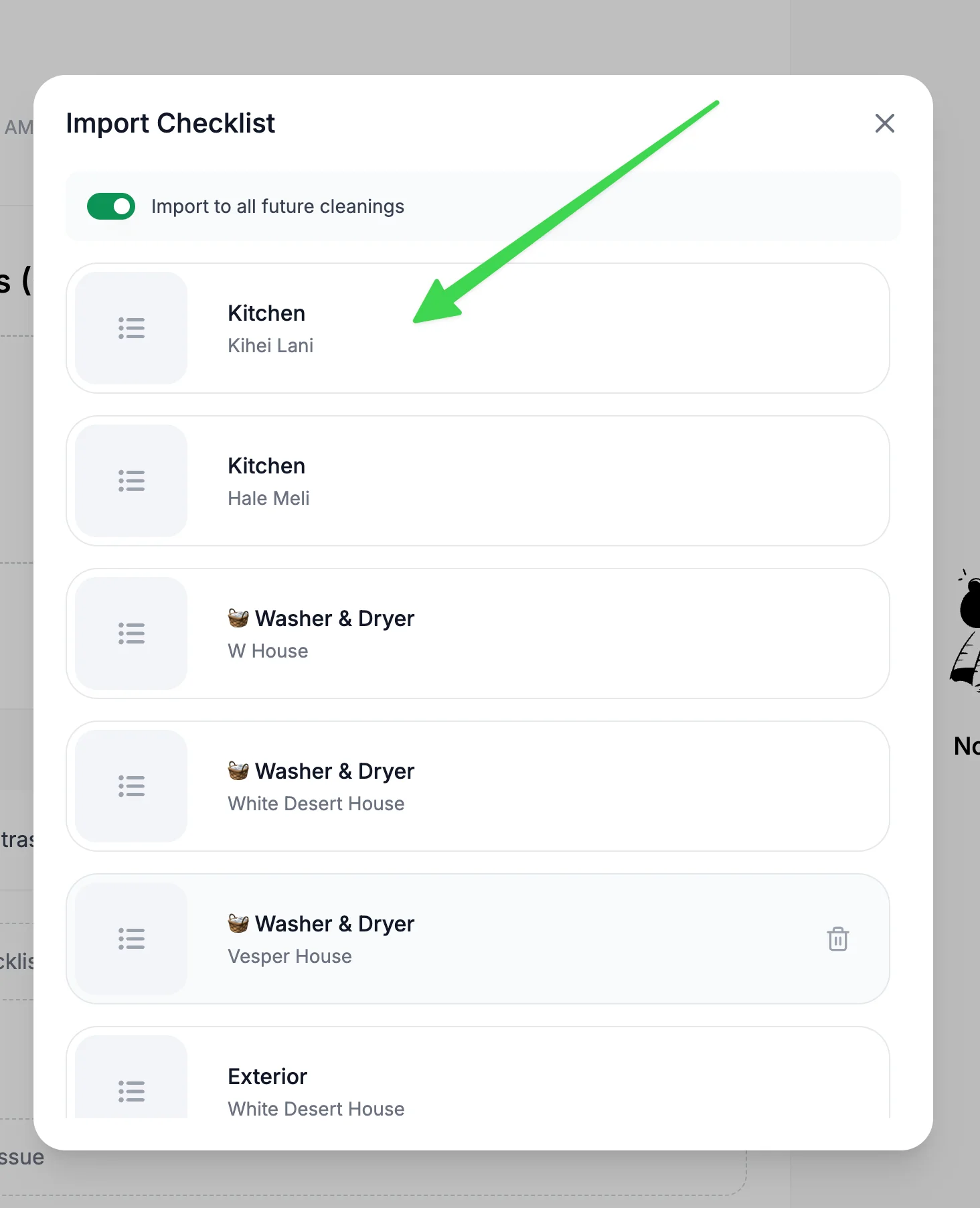
You will see checklists created for other properties. Click on the one you want to import and it will be automatically reused for the current property cleaning you are viewing.
需要帮助?
常见问题解答了我们最常被问到的问题。