Recurring tasks
Automatically create recurring tasks on a daily, weekly, monthly, or yearly cadence
約 4 分で読めます初級
Overview
Recurring tasks are templates that automatically create a fresh task on a schedule — daily, weekly, monthly, or yearly. Use them for predictable maintenance like quarterly HVAC checks, monthly smoke alarm tests, or weekly pool inspections.
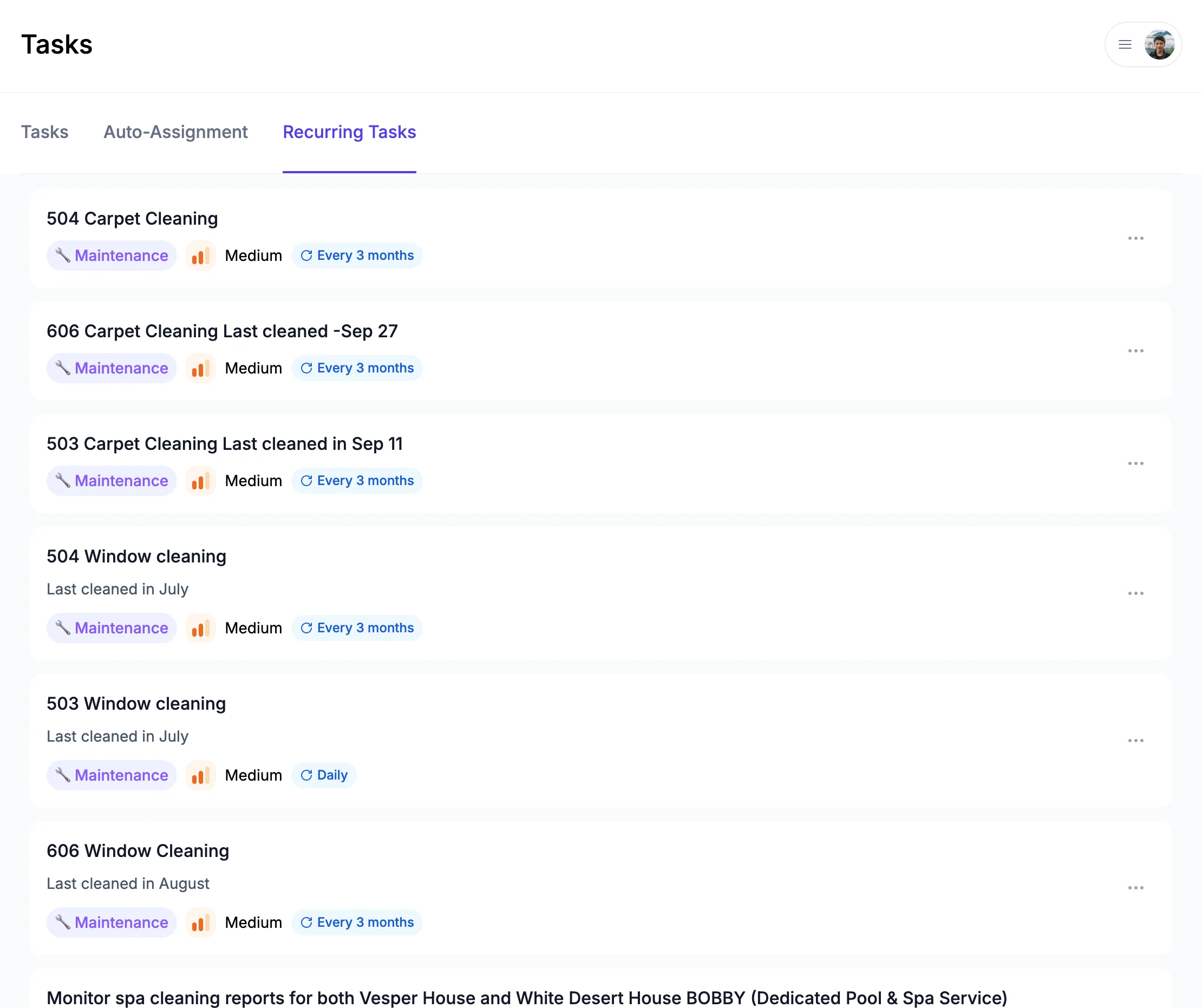
Creating a recurring task
Open Tasks → Recurring and click + New Recurring Task. Fill in:
- Title and description — copied to every task that's created from this template
- Property — which listing(s) the task applies to
- Category and priority — pre-selected on each generated task
- Assignee — auto-assigned to a teammate when the task is created
- Cadence — Daily, Weekly, Monthly, or Yearly
- Start date — first occurrence
The next task is generated when the previous one's due date arrives, so your inbox isn't flooded with future-dated tasks.
What's next?
- Triggered Tasks - Create tasks automatically on check-in or check-out
- AI-Generated Tasks - Auto-create tasks from messages and reviews
お困りですか?
よくある質問では、特に多く寄せられる質問にお答えしています。